PatioPlanner

Exactly how many pavers your patio needs

PatioPlanner tiles your real outline with the real pattern, then counts it all: full stones, ready-made half stones and the pieces you cut on site.

No account, nothing uploaded. Every project stays in your browser.

A look inside the planner

Seven screens from the planner, starting with the twelve-stone Opus Romano.
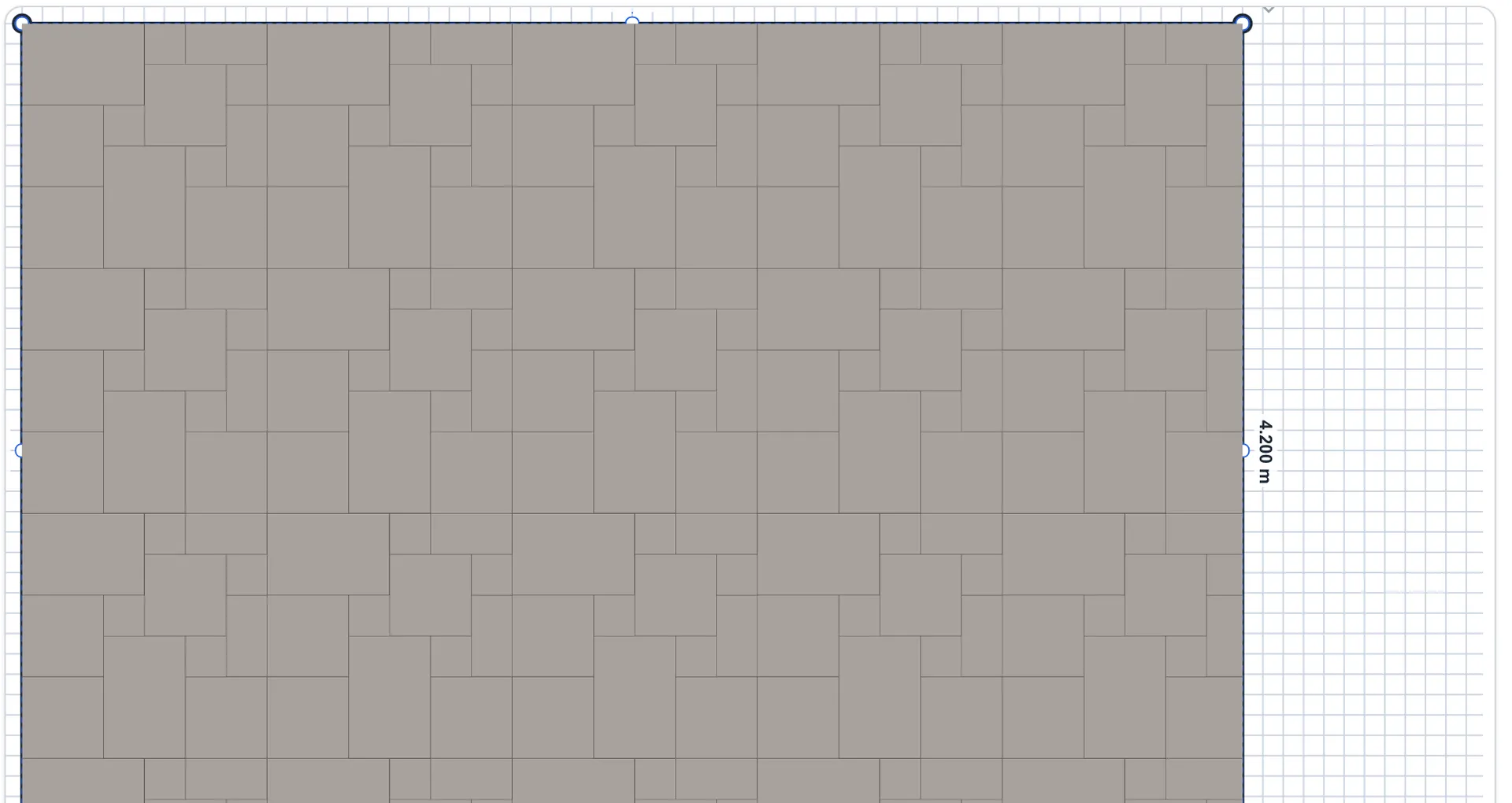
Planner canvas filled with the Opus Romano pattern in grey, twelve stones in four sizes per module.

Beyond the standard patterns

Besides running bond and herringbone, PatioPlanner handles demanding patterns like Opus Romano: twelve stones in four formats per 1.2 metre module. The module is laid across your surface and each format counted on its own line.

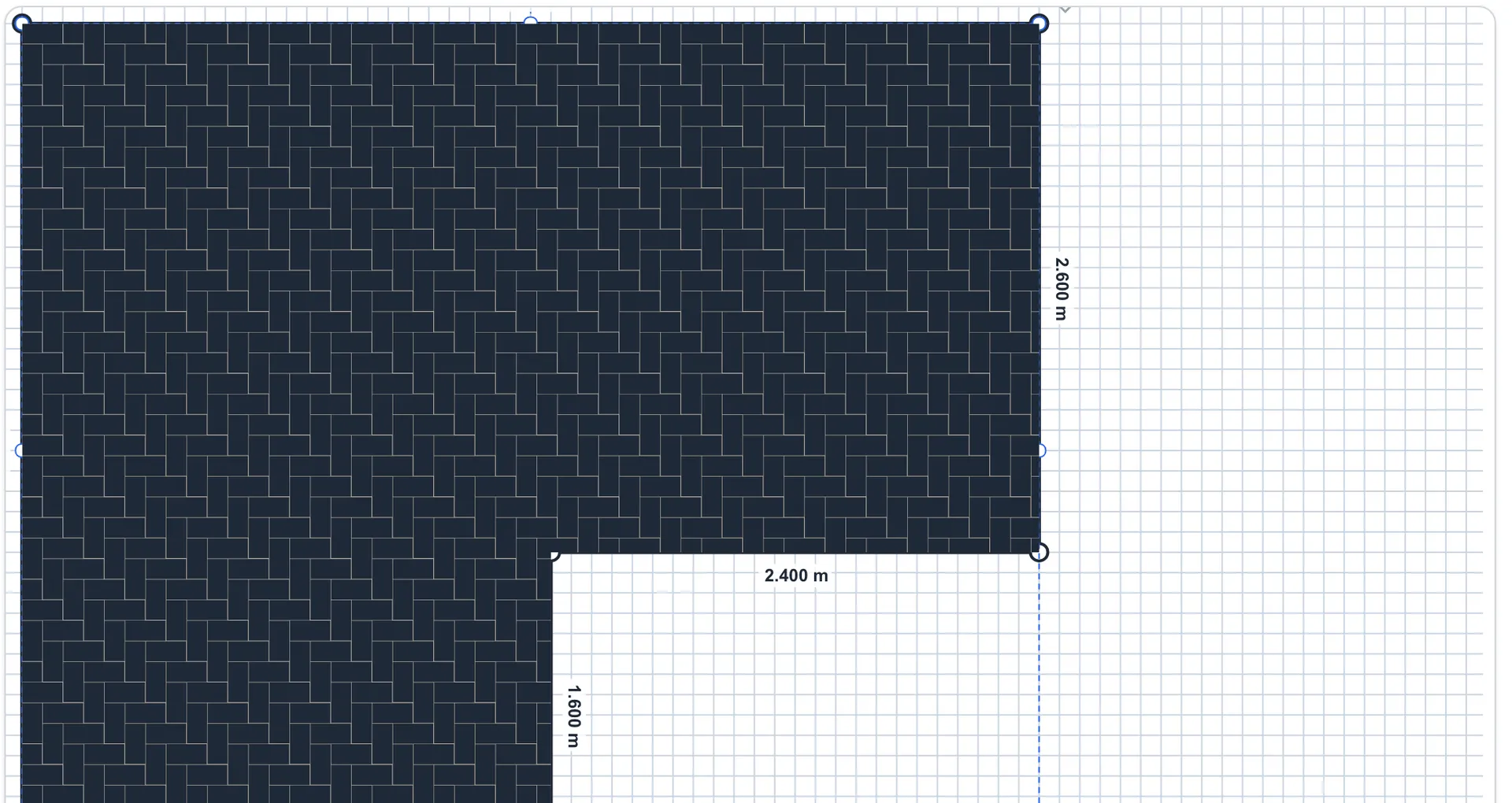
Planner canvas showing an L-shaped patio filled with a herringbone pattern in anthracite.

The shape you actually have

The patio is an L, so the polygon is an L. Every edge carries its length, and the pattern is tiled inside the real outline.

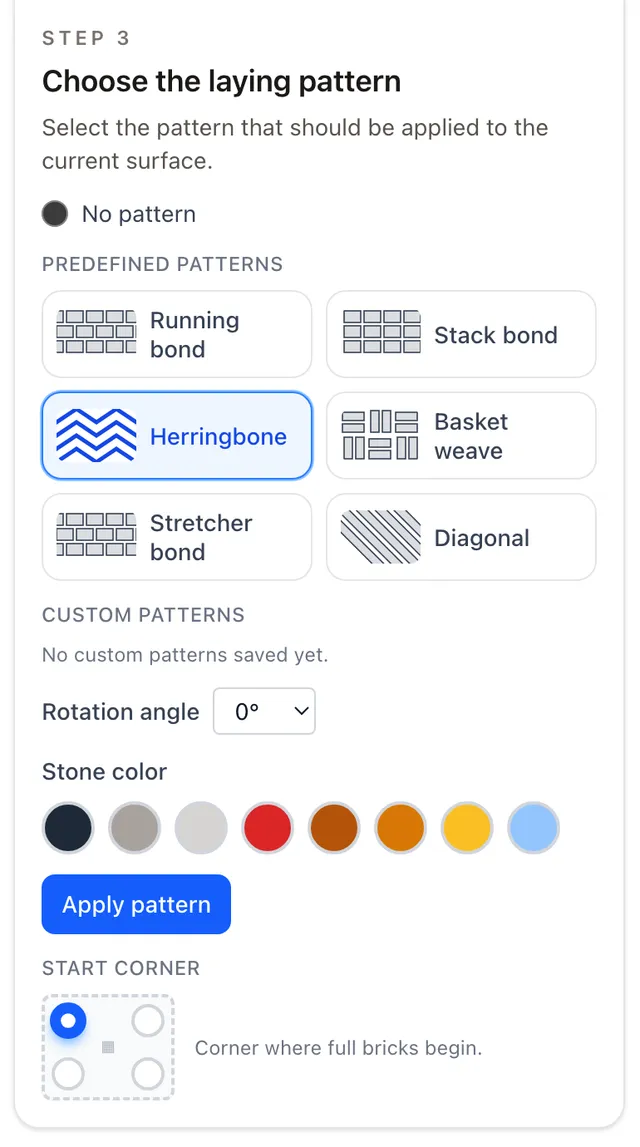
Pattern selection panel with running bond, stack bond, herringbone, basket weave, stretcher bond and diagonal.

Patterns that fit your stone

Pick the stone family first. Rectangular pavers offer running bond, herringbone, basket weave, stretcher bond and diagonal; mixed formats offer ashlar and Roman bond.

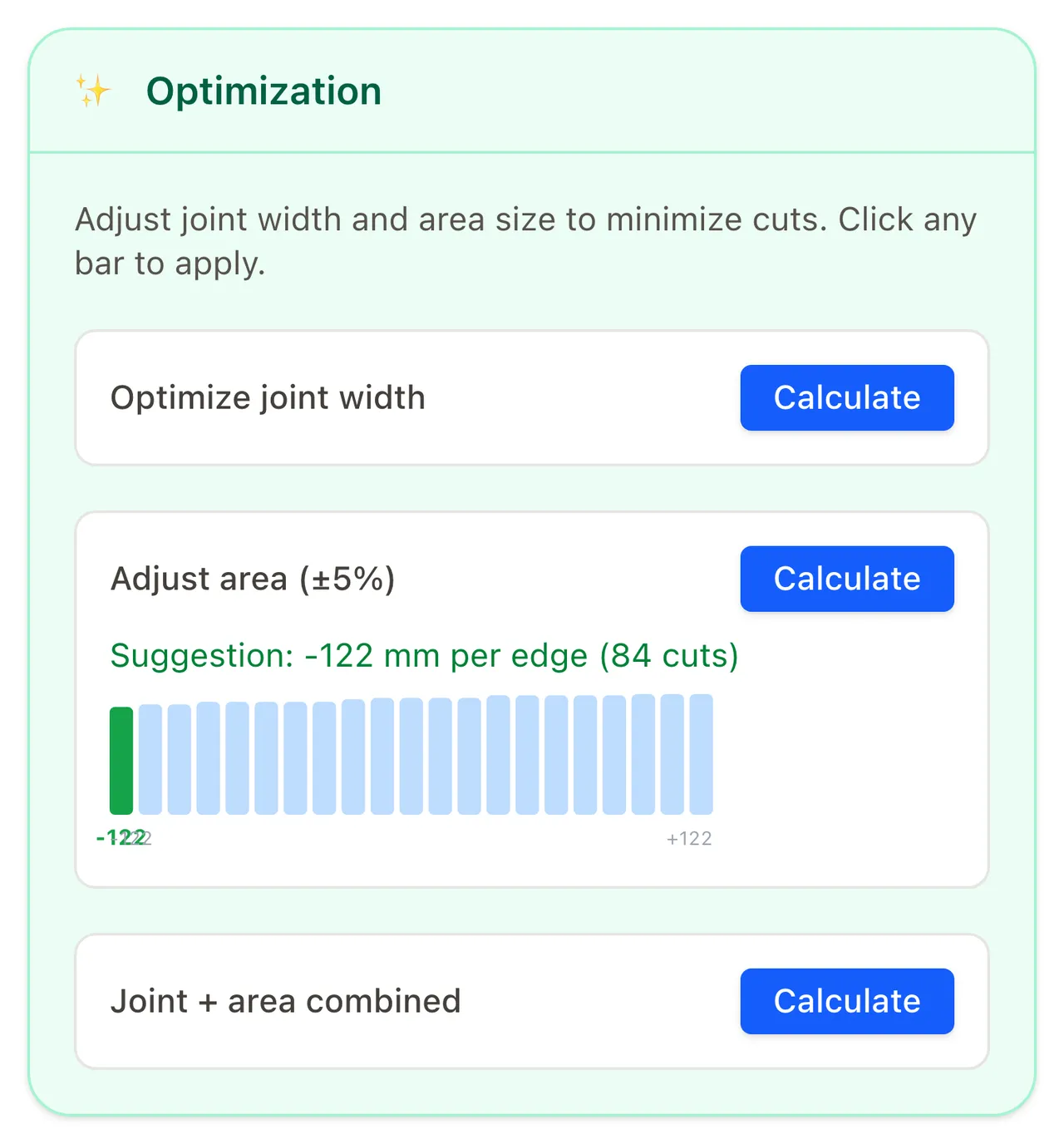
Optimization panel suggesting an area adjustment per edge, with a bar chart of cut counts.

Cut less, finish sooner

Cutting stones is the most tedious part of laying a patio. Often a few centimetres of area or a millimetre of joint width saves dozens of cuts. The optimizer tries these variants, shows the cut count for each and applies the best one with a click.

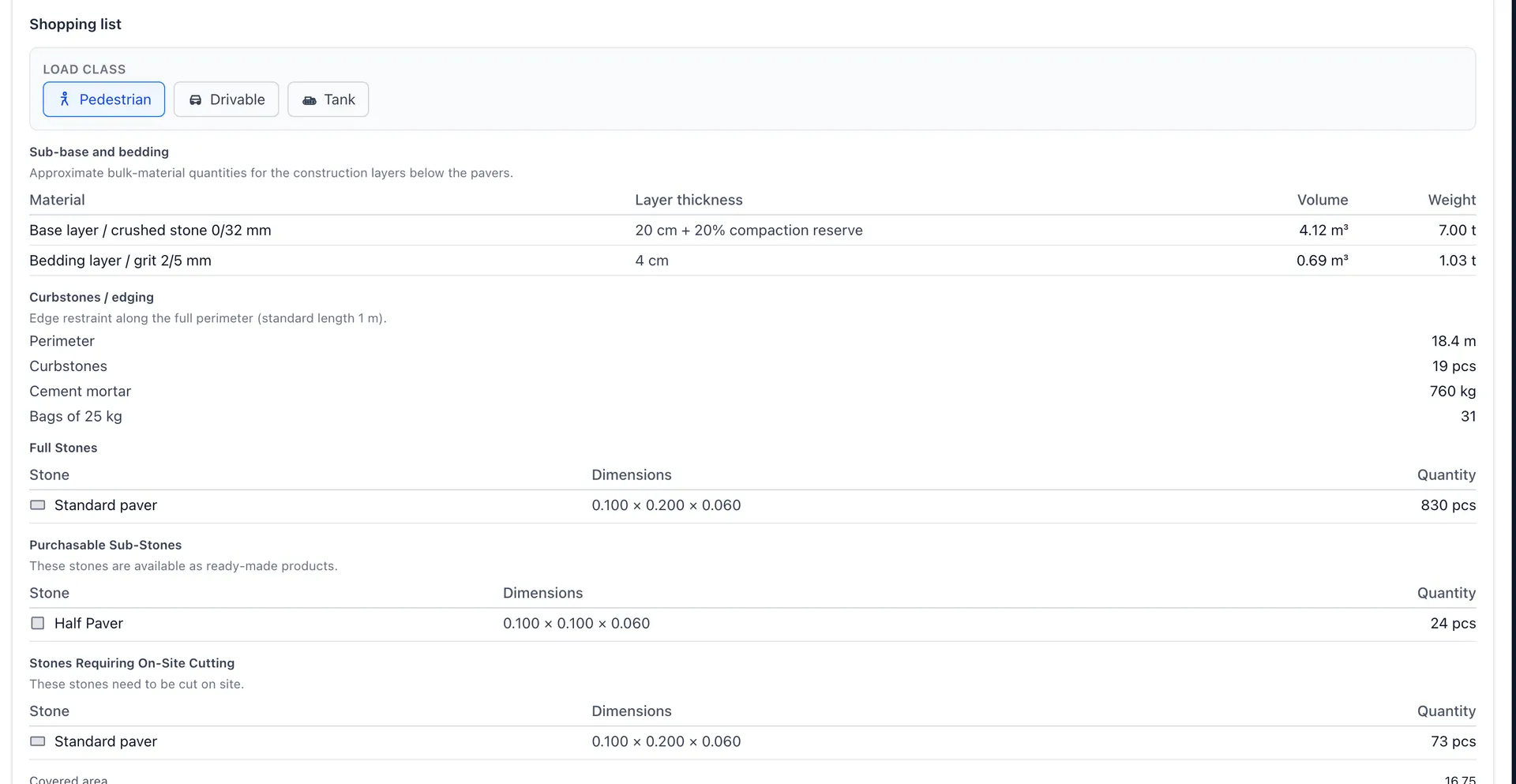
Shopping list with full stones, purchasable sub-stones, stones requiring on-site cutting, and sub-base materials.

Your shopping list for the hardware store

830 full pavers, 24 ready-made half stones, 73 pieces to cut on site. Below that: crushed stone, grit, curbstones, mortar and jointing sand.

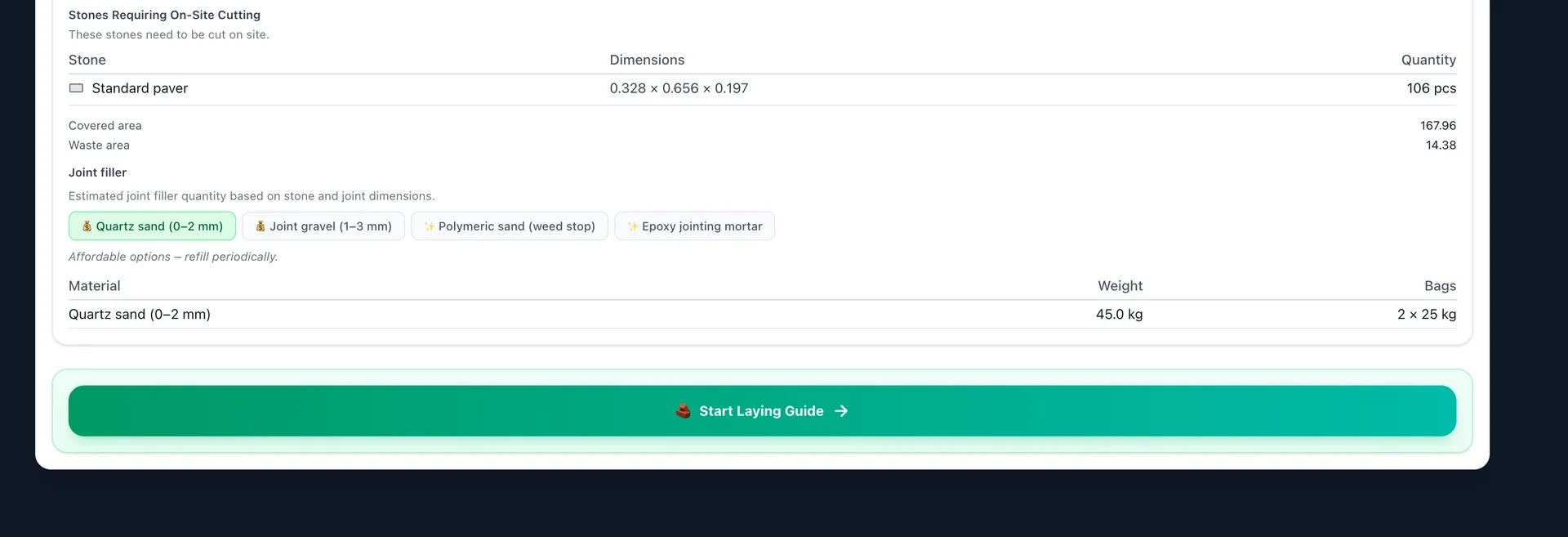
End of the shopping list with joint filler options and a Start Laying Guide button.

From list to laying

Pick the jointing material, from quartz sand to epoxy mortar, then start the laying guide with one click.

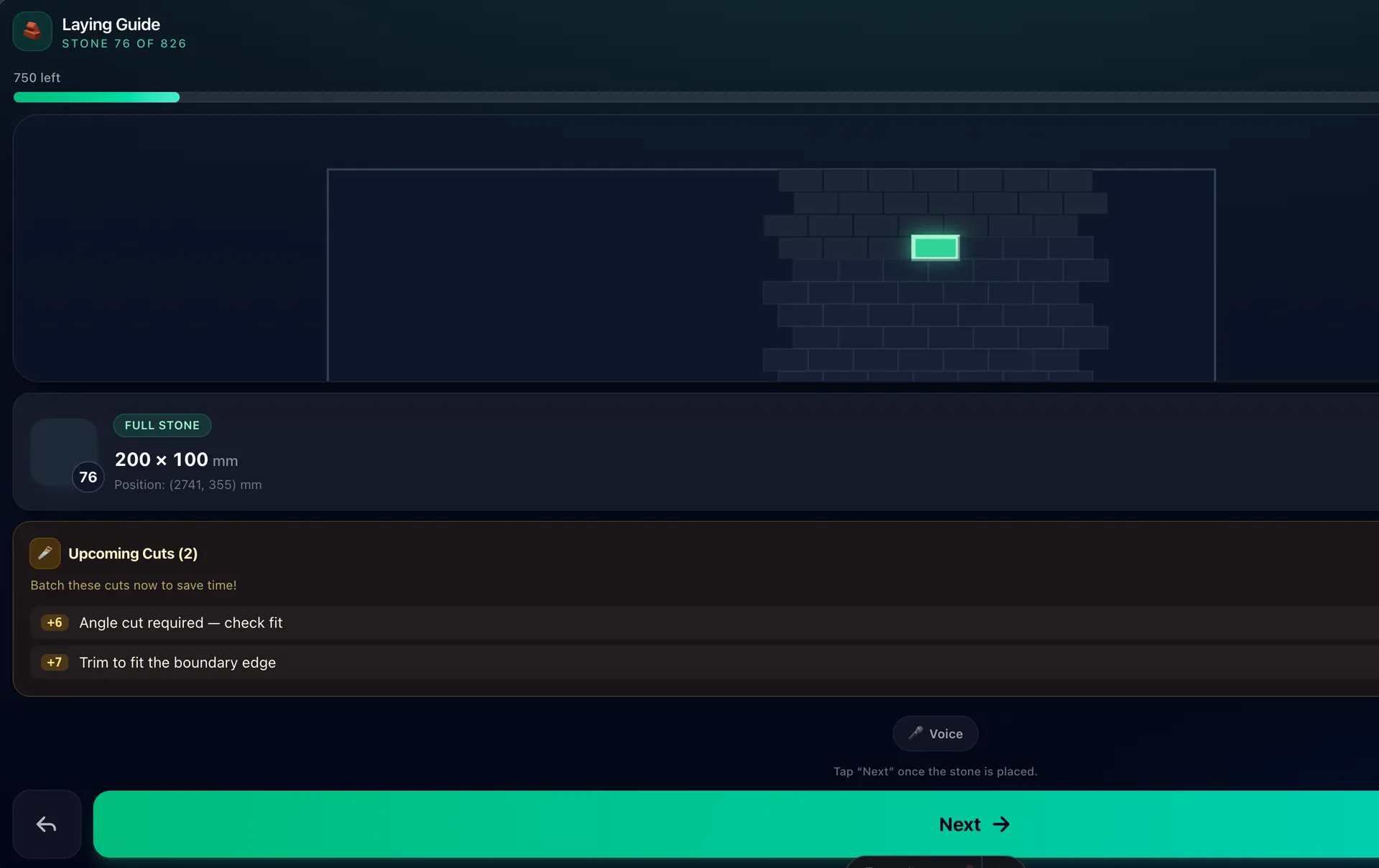
Mobile laying guide highlighting the next stone, with an upcoming cuts panel and a Next button.

Your paving assistant

The assistant highlights the next stone and flags the cuts coming up, so you never lose track.

Draw the real shape

Start with a rectangle, then add and drag vertices until the polygon matches your patio. Edge lengths are labelled on the canvas.

Patterns that fit your stone

Each stone family offers the patterns that fit it. Mixed formats unlock the hard ones: Opus Romano, ashlar in four sizes, windmill and multi-format herringbone.

Every piece counted

PatioPlanner tiles the polygon and counts every piece: full stones, half stones you can buy ready-made, and the ones you cut on site.

Cut fewer stones

Try a slightly different area or joint width. The optimizer shows the cut count for each option and applies your pick in one click.

Everything under the pavers

Pick a load class and get base and bedding quantities by volume and weight, plus curbstones, mortar and jointing sand for the perimeter.

Laying guide

On site, your phone shows the next stone and the cuts coming up so you can batch them. Voice and wave control keep your gloves on.

Measure once, order once

Draw your outline, pick a pattern, and take the list to the yard. Nothing to install, no account to create.

Plan my patio

Found a bug, have a feature request, or want to write a review? I'd appreciate your feedback on Product Hunt:

PatioPlanner on Product Hunt

Also listed on Twelve

Send feedback

Type of post

Approved feedback is public. Please don't include personal data such as your email address or phone number.Privacy policy