Anyone who has laid paving stones knows the edges are where the time goes. Every cut means wasted material, extra tool wear, and a rougher finish. Version 1.0.8 adds two features aimed at that.
See the color before you buy
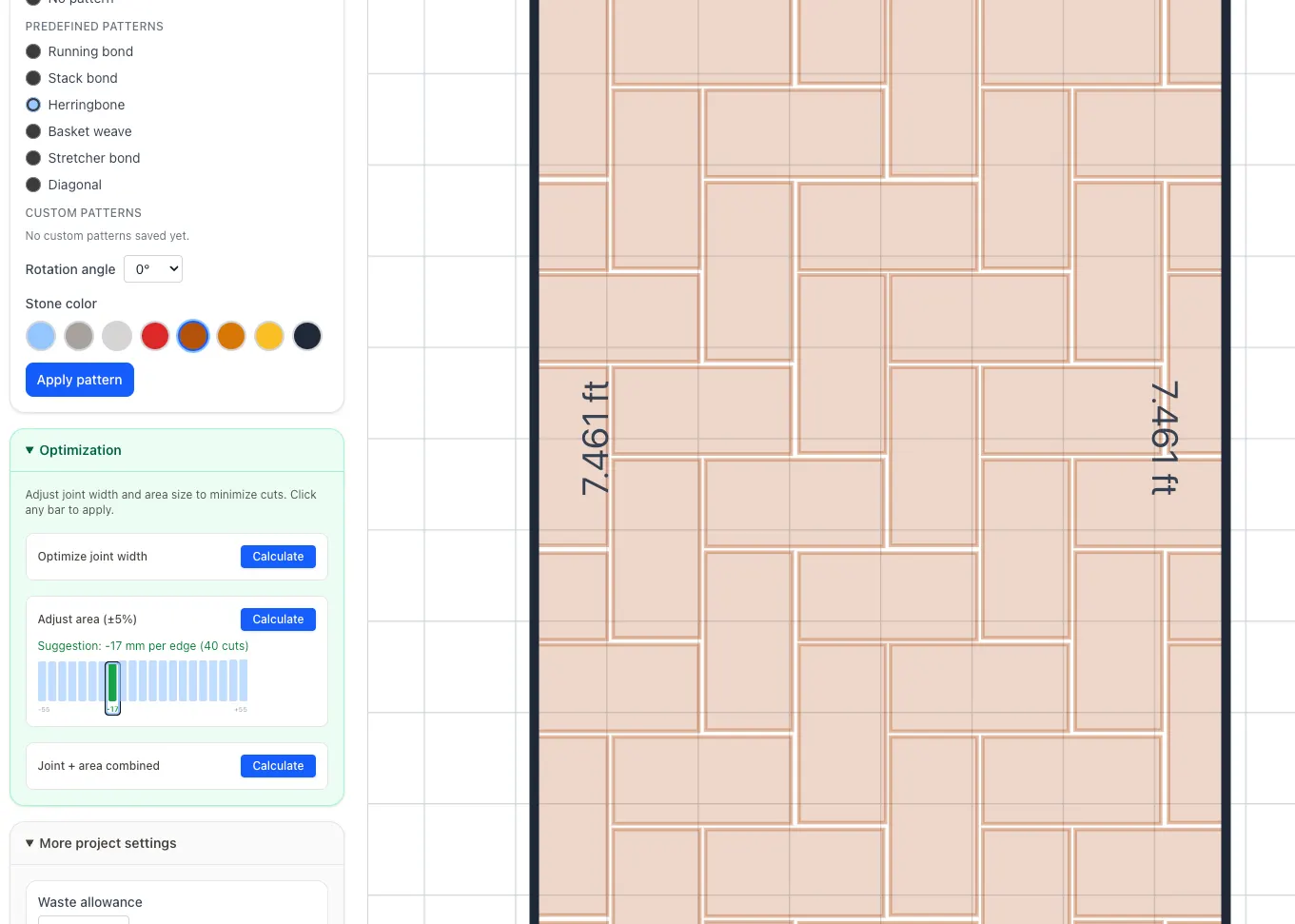
The planner now shows eight stone colors right in the pattern step: grey, anthracite, red, brown, terracotta, sand. Pick one and the canvas updates instantly. You can match the paving to your house facade or garden wall while the layout is still just pixels on a screen, before you order anything.
The optimizer: fewer cuts
Below the pattern selector you will find a new optimization panel. It runs the full tiling and cutting engine dozens of times in the background and reports which settings produce the fewest cut stones.
Optimize joint width sweeps from 2 to 20 mm in half-millimetre steps. A tiny change in gap size can shift the entire grid just enough to avoid cuts at the boundary. The result appears as a bar chart: lower bars mean fewer cuts.
Adjust area (±5%) tests whether making the surface slightly larger or smaller eliminates cuts entirely. Sometimes 20 mm more or less per edge is all it takes for the stones to land perfectly.
Joint + area combined varies both at once and finds the best combination of joint width and surface size in one click.
Every bar is clickable
The charts are interactive. Click any bar to apply that candidate value immediately. If you prefer the second-best option because it uses a more standard joint width, click it instead. The planner updates on the spot.
What else is new
Three additional laying patterns: basket weave, stretcher bond, and diagonal. The sidebar steps are now collapsible to free up canvas space on mobile. German locale defaults to metres. And PatioPlanner is now installable as a PWA: add it to your home screen and use it offline.