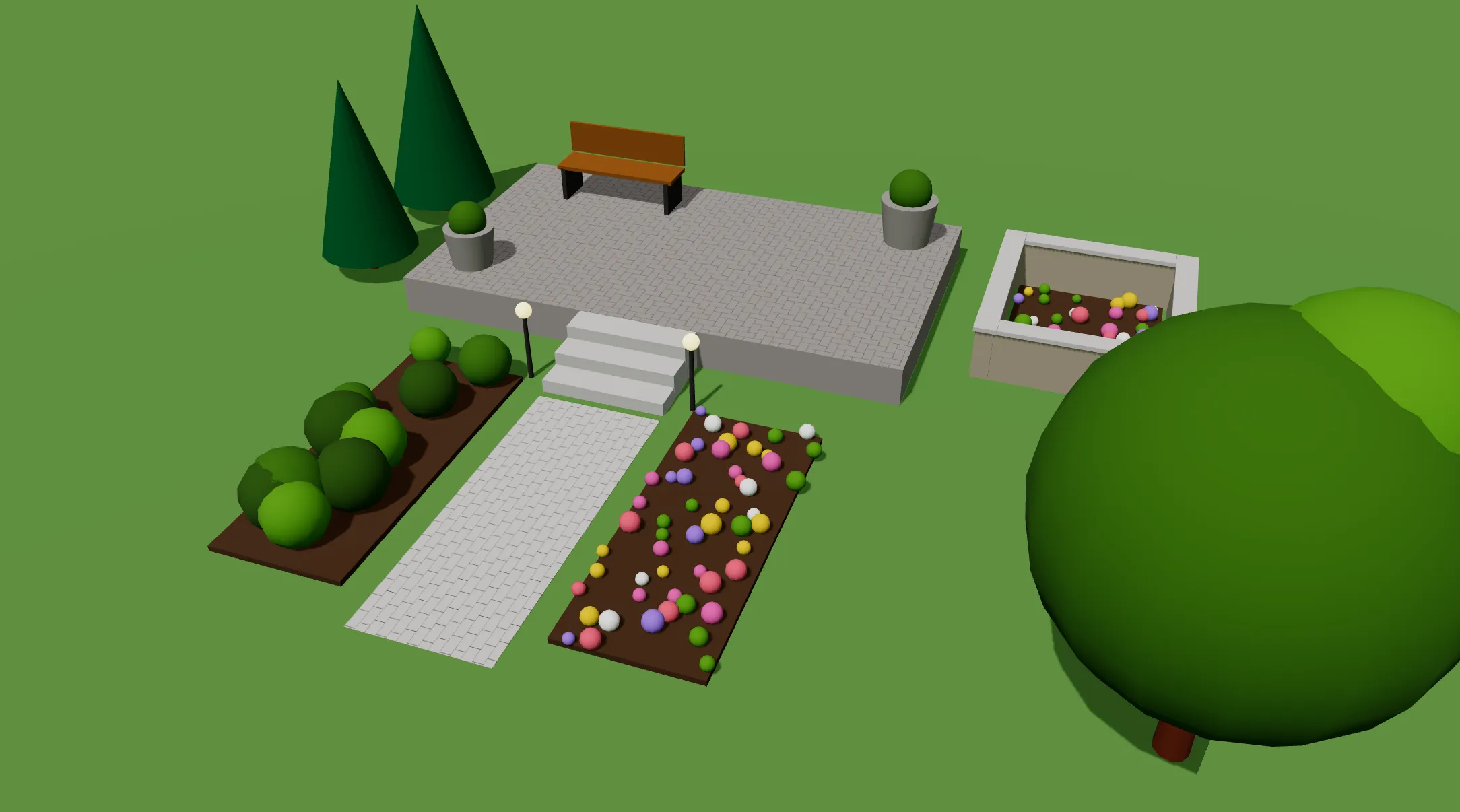
The feedback on the last version came down to two things: the site was too dark and you wanted to plan more than paving, stairs for example. Version 2.2 does both.
Stairs
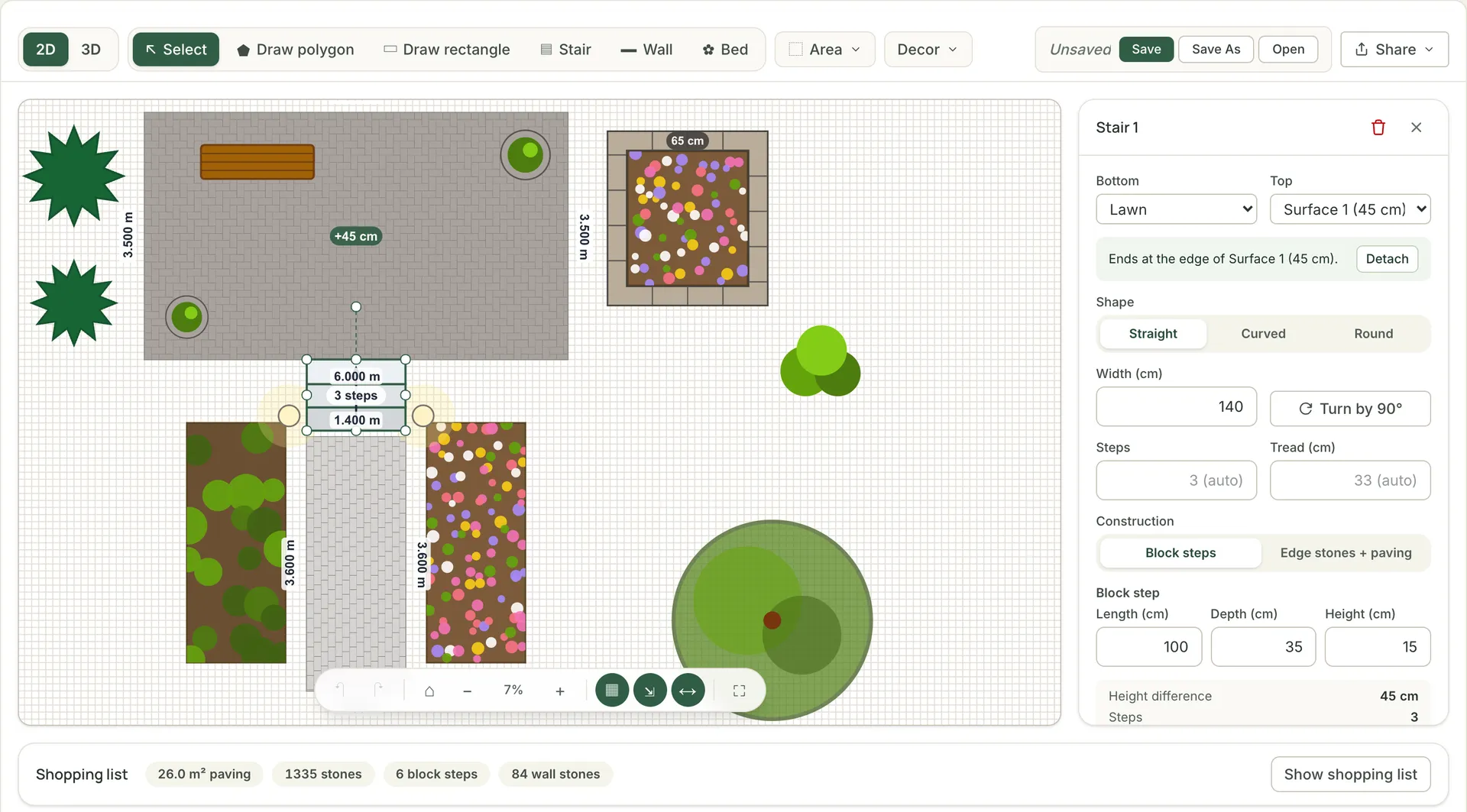
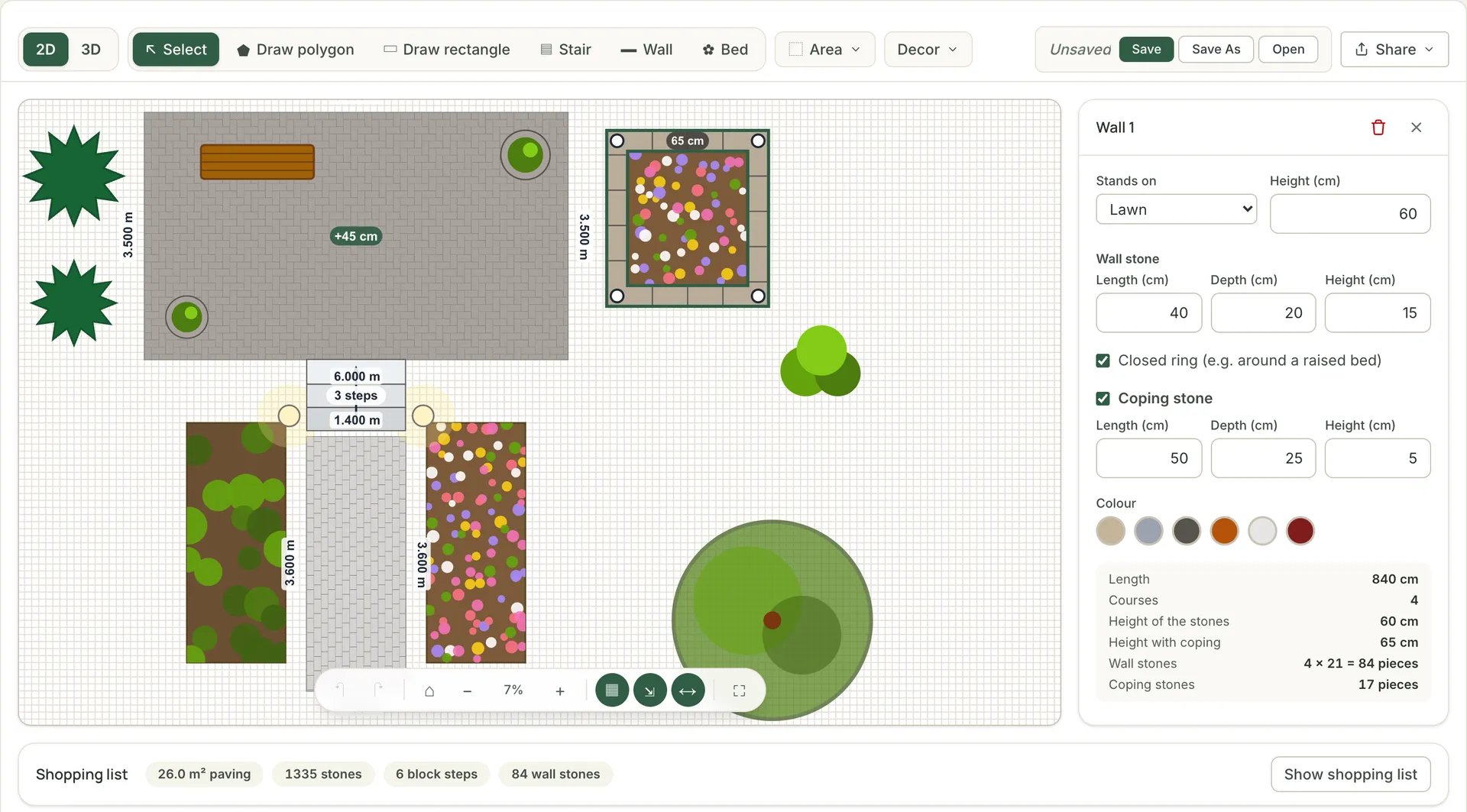
Every surface now has a height above the lawn. Click the edge of a surface to attach a stair to it. The planner suggests the number of steps and the tread depth and warns you when the stair gets too steep or too shallow.
Stairs can be straight, curved or round. Round ones cover a quarter, half or full circle, for example in front of a door. You build them from block steps or from edge stones with paving on the treads. The stones go on the shopping list with quantities.
Walls and raised beds
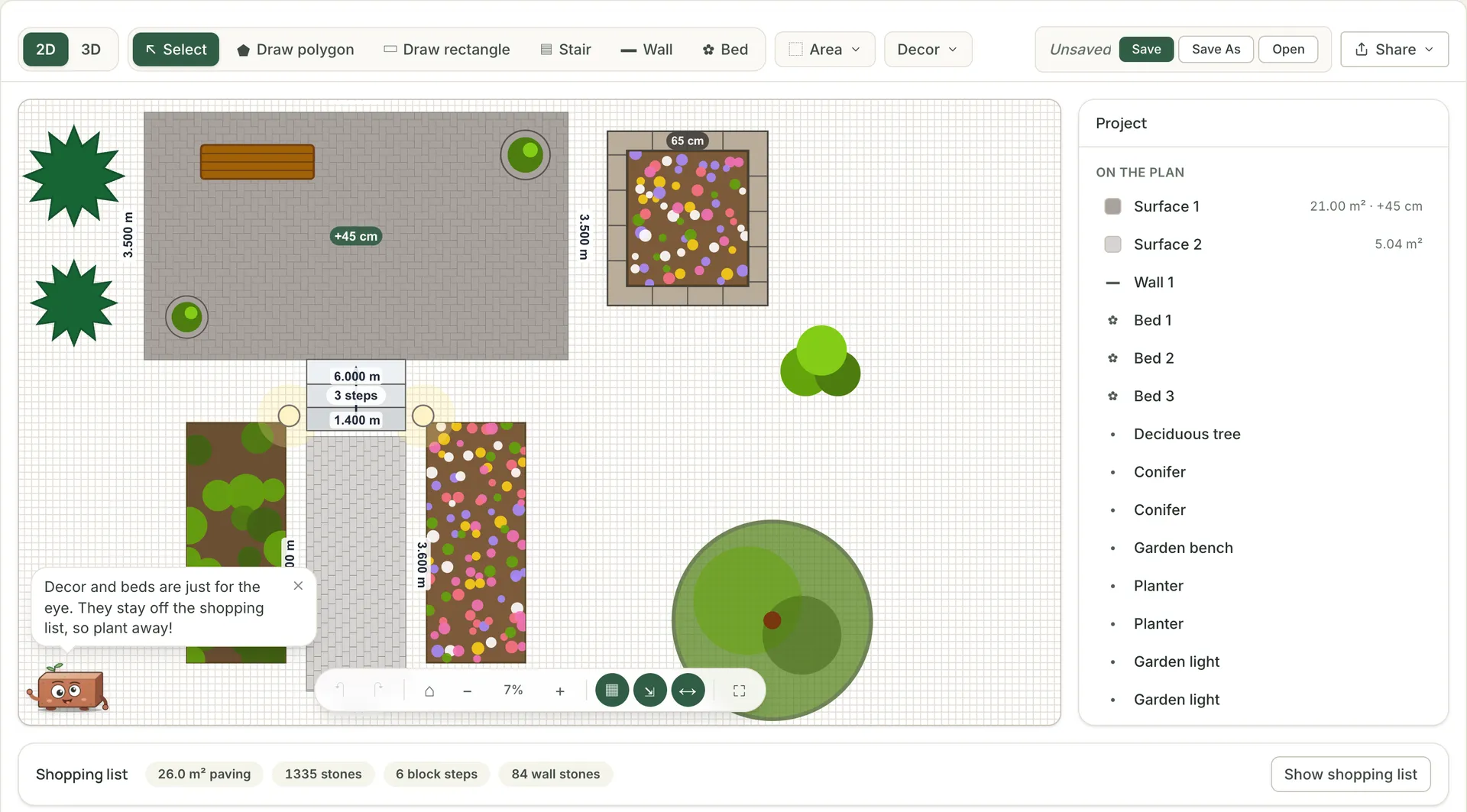
Click a wall point by point. Close it and it becomes a ring, for example around a raised bed. Enter the height, wall stone and coping stone and the planner counts courses and stones. The wall in the example is 60 cm high and needs 84 wall stones in 4 courses plus 17 coping stones.
Beds, trees and furniture
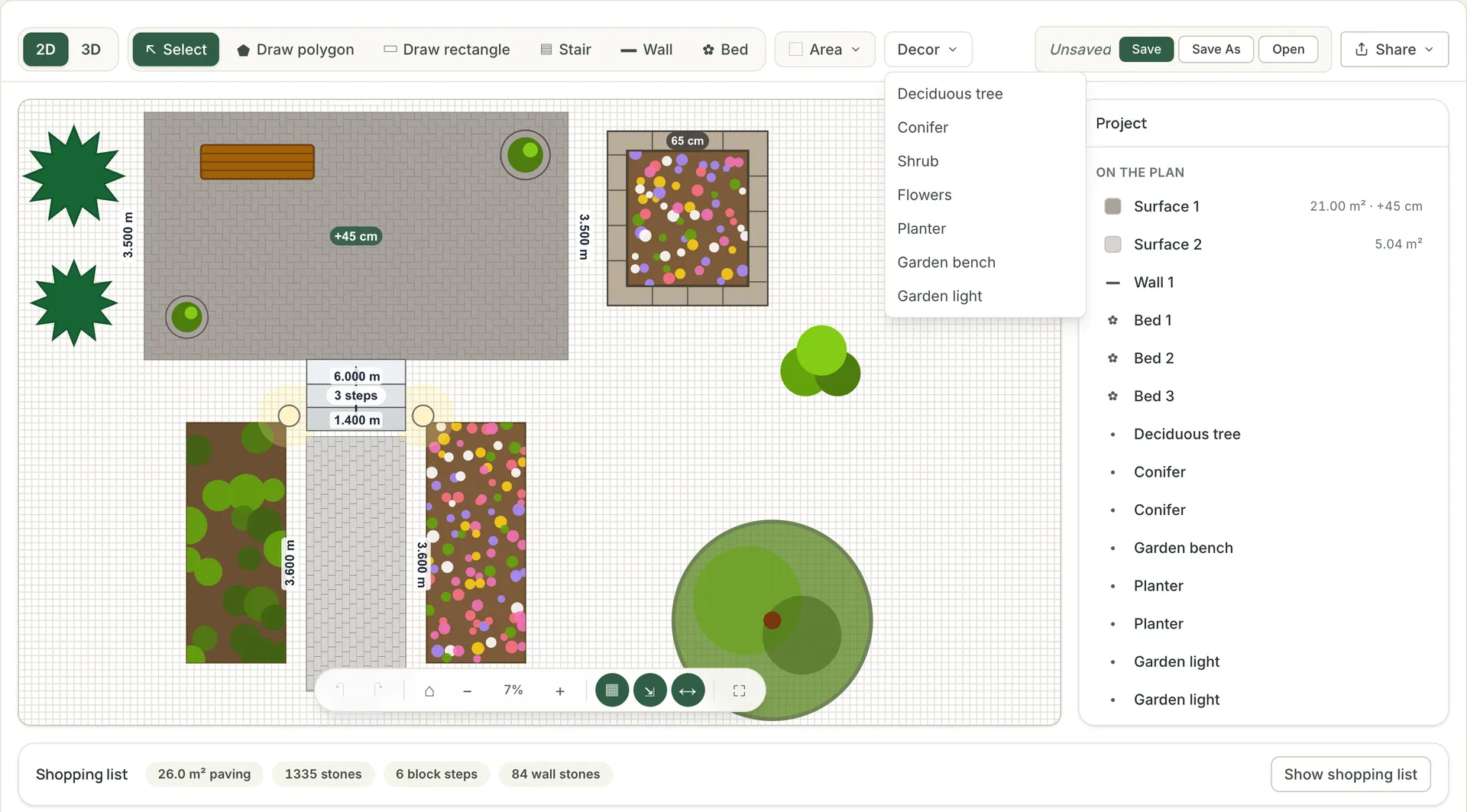
Fill beds with flowers, shrubs or bark mulch. Under “Decor” you find a deciduous tree, conifer, shrub, flowers, planter, garden bench and garden light. Beds and decor are for the picture and stay off the shopping list.
3D view
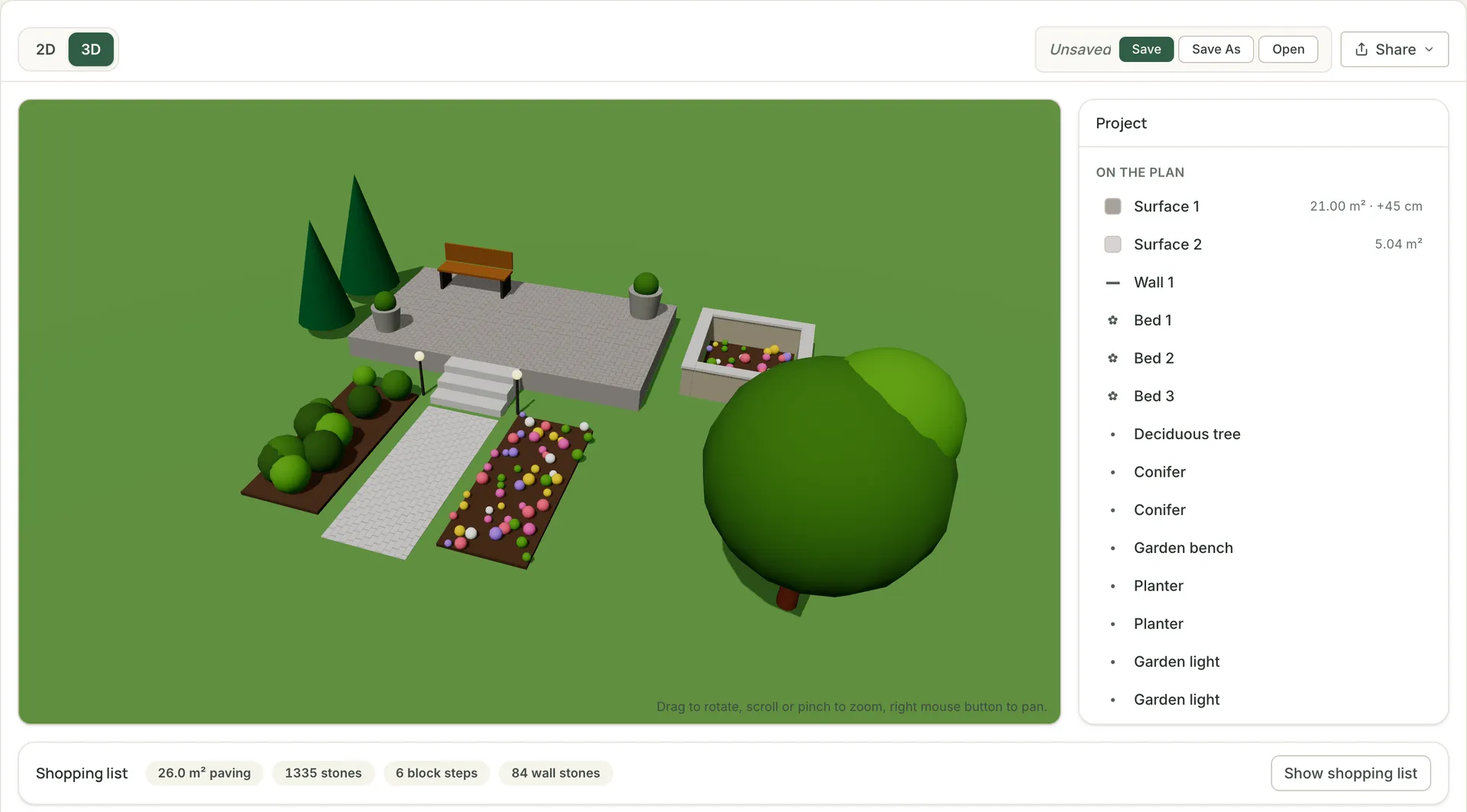
Click “3D” to see your plan as a model, with the raised patio, stairs and walls at their height. Rotate and zoom with the mouse or two fingers.
Areas
“Area” groups parts of the plan. Move or rotate the area and everything inside moves with it.
Light design
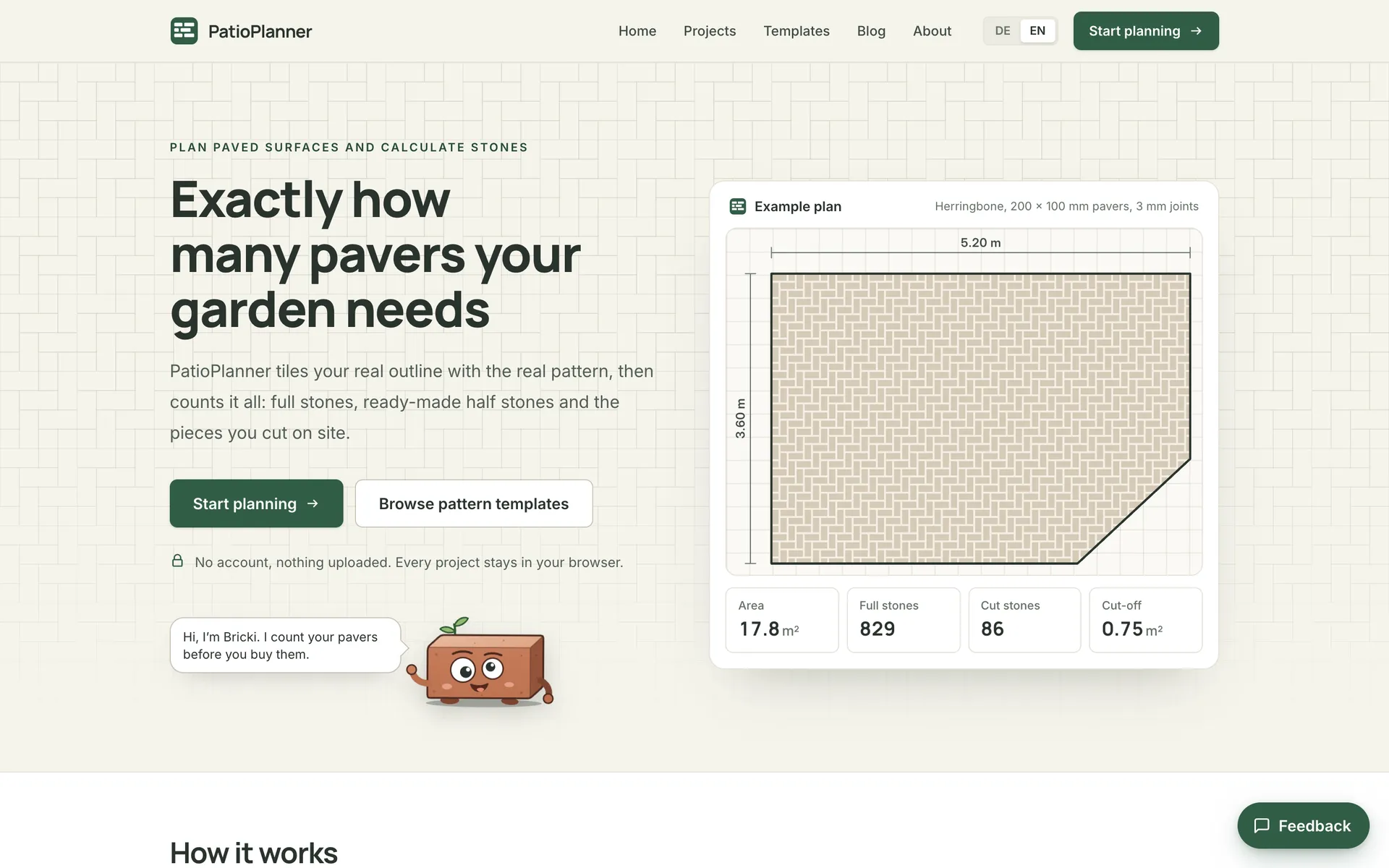
The whole site is light now, with green buttons. Bricki is a terracotta brick and gives tips in the planner, such as that decor stays off the shopping list.
Send more feedback with the button in the bottom right corner.